How to Automate Call Summaries Without Losing Context or Inventing Certainty
Learn how to automate call summaries using structured fields, clear outcomes, source evidence, review rules and visible distinctions between fact, inference and uncertainty.
In this guide
- Why fact, inference and uncertainty must remain visibly distinct
- How to design call outcomes before automating the summary
- How review queues and source evidence prevent false certainty
A lead tells your team they are interested, but not ready to decide until next month. The call note says, "Follow up later." A week passes, another rep opens the record, and the buying signal is gone. Learning how to automate call summaries is not just about saving someone from typing notes. It is about turning every conversation into a reliable record of what happened, what matters, and what should happen next.
For sales and service teams handling a steady flow of enquiries, the best call-summary process is structured, reviewable, connected to follow-up and explicit about the difference between stated facts and system inference. A generic paragraph written after every call may look useful, but it rarely helps a manager decide who to call back, an agent prepare for the next conversation, or an operations team spot gaps in the workflow.
What an automated call summary should capture
A useful automated summary is an operational output, not a transcript with a shorter word count. It should preserve enough context for the next person to act without forcing them to listen to a recording or read every line of a transcript.
Start with the core facts: who was contacted, why the conversation took place, the lead's current situation, their level of interest, objections raised, and the agreed next step. Then add the details that matter to your specific customer journey. A property enquiry may require a preferred area, budget range and purchase timeframe. A finance or service enquiry may need the reason for the enquiry, eligibility indicators and appointment availability.
The summary should also distinguish between what the customer explicitly said and what the system has inferred. "Customer requested a call next Tuesday" is a stated fact. "High intent" is an interpretation. Both can be useful, but treating them as the same thing creates avoidable mistakes.
The most important distinction: fact, inference and uncertainty
A reliable summary should make three things visibly different:
- Stated fact: what the customer explicitly said
- Inference: a system interpretation such as intent or readiness
- Uncertainty: information that was unclear, incomplete or affected by poor audio
For example:
- Stated fact:
Customer requested a callback next Tuesday - Inference:
Moderate purchase intent - Uncertainty:
Exact preferred time was not confirmed
This prevents a confident-looking summary from turning an uncertain conversation into false operational certainty.
How to automate call summaries in a controlled workflow
The most reliable approach is to design the workflow before choosing the wording of the summary. If the desired outcome is unclear, automation will simply produce clearer-looking notes without improving the process behind them.
Define the call outcomes first
Before a call is made, decide which outcomes your team needs to assign. These should reflect real operational decisions, such as qualified for adviser review, appointment requested, follow up at a later date, not interested, wrong contact details, or do not contact.
Keep the outcome set practical. Too few options force different situations into the same bucket. Too many options create inconsistency and make reporting difficult. Most teams find that a concise set of clearly defined outcomes gives agents and managers a better view of the pipeline.
For a deeper look at how structured outcomes support routing and reporting, see structured call outcomes software.
Each outcome should trigger a defined next action. For example, an appointment request may create a booking task, while a lead with a three-month timeframe may enter a scheduled nurture queue. If an outcome does not change what happens next, consider whether it belongs in the workflow.
Turn important questions into captured fields
Free-text summaries are helpful for nuance, but they should not carry the entire process. Identify the details your team regularly searches for, reports on or uses to prioritise work, then capture them in structured fields.
This may include timeframe, location, service required, budget indication, preferred contact time, decision-maker status, existing provider, or reason for hesitation. The right fields depend on the use case, but the principle is consistent: if a detail affects routing or follow-up, it should be captured in a format that can be filtered and acted on.
Structured fields also make quality easier to assess. A manager can see whether qualification questions were answered across a lead list without reading hundreds of individual summaries.
Use the transcript as evidence, not as the final output
Transcripts and recordings remain valuable. They allow a team member to check the customer's exact language, review a disputed detail, coach a team, or understand a complex conversation. But they are not the day-to-day working record for most teams.
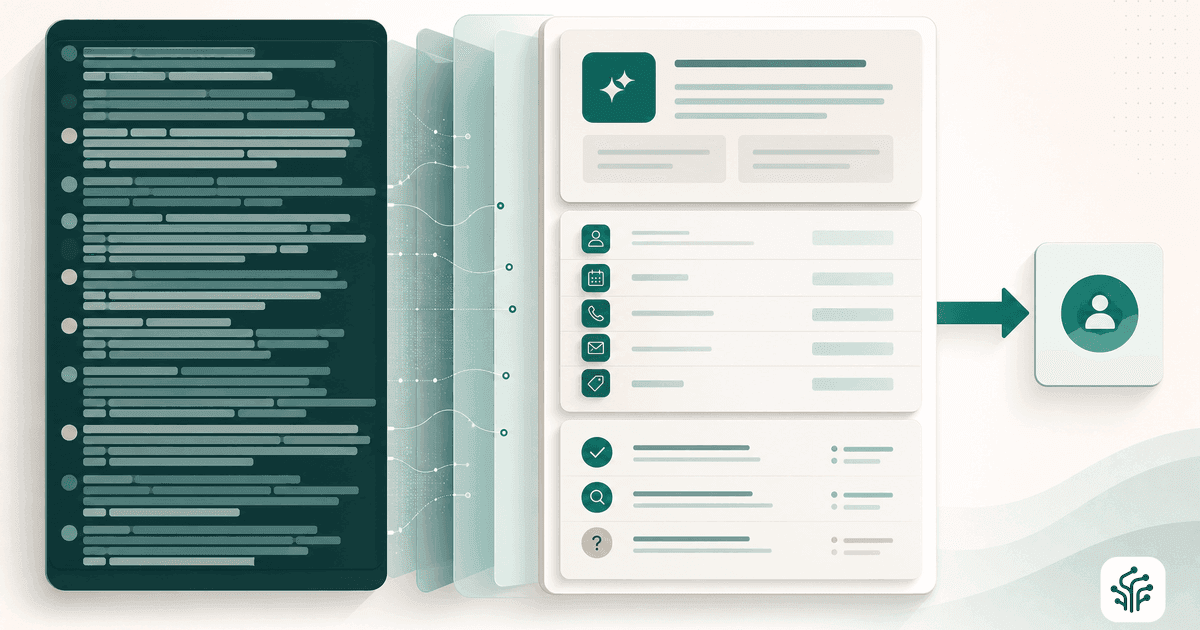
An automated process should use the call transcript to generate a concise summary, populate approved fields and assign an outcome. It should retain the original recording and transcript for review where appropriate. This creates a practical balance: the CRM or workflow view stays clear, while the source conversation remains available when context matters.
Create a consistent summary format
Give every summary a predictable structure. When a sales manager opens a record, they should know where to find the customer's need, buying signals, objections and next step within seconds.
A useful format might begin with the conversation outcome, then state the customer's situation and requirements, followed by any concerns or constraints. Finish with a specific next action, owner and timing. Avoid vague endings such as "follow up soon". If the customer asked for contact after a particular date, capture that date. If an adviser needs to review the lead, state why.
The goal is not to make every call sound identical. It is to make critical information easy to find, even when calls vary.
Build review into the process
Automation should reduce manual work, not remove judgement from situations where judgement matters. Some calls are straightforward and can move directly to the next workflow stage. Others involve unclear answers, sensitive requests, conflicting information or a strong buying signal that deserves prompt human attention.
Set rules for when a summary or outcome needs review. A low-confidence extraction, an unusual request, a complaint, a request to stop contact, or a call that meets a high-value qualification threshold can all be routed to the right person. This is especially useful for teams that need to maintain quality while responding quickly.
For how reviewability and audit support operational confidence, see what is an auditable AI call workflow.
Review queues should be focused. Sending every call for approval defeats the purpose of automation and creates a new backlog. Use them for exceptions, valuable opportunities and scenarios where the cost of getting it wrong is higher.
For a practical approach to routing exceptions through review queues, see human review queue for AI calls.
DialoGrove supports this approach by turning calls into transcripts, structured captured fields, outcomes and recommended next steps, while allowing teams to define the playbook and review points behind the workflow.
Connect summaries to the next action
A call summary becomes far more valuable when it changes what happens after the call. The next action may be a CRM task, an owner assignment, an appointment workflow, a follow-up date, a notification to a manager, or a lead status update.
This connection prevents a common failure point: good information sitting in a record that nobody revisits. If a customer says they want to inspect a property this weekend, the relevant team member needs a prompt action, not merely a well-written note. If a dormant lead asks for a callback in 90 days, the workflow should preserve that timing rather than relying on someone's memory.
Be careful with automatic actions where context is ambiguous. A customer saying "maybe next week" may need clarification before a fixed appointment is created. Automated summaries work best when the rules are strict for clear events and cautious for uncertain ones.
Test against real calls before rolling out
Do not judge your summary design from a handful of ideal conversations. Test it against calls with objections, poor audio, incomplete information, interruptions and customers who change their mind midway through the discussion.
Review whether the summary captures the correct facts, whether fields are being populated consistently, and whether the assigned outcomes lead to sensible next steps. Look for patterns in errors. If the same information is regularly missed, the issue may be the call flow, the question wording or the field definition rather than the summary itself.
It is also worth checking summaries with the people who use them. Sales reps may need clearer objection notes. Operations managers may need more dependable outcome data. Customer experience teams may need better visibility of requests that require a personal response. A workflow that works for reporting but frustrates the person handling the next call will not last.
Measure whether the automation is helping
The first measure is not how many summaries were generated. It is whether your team can act faster and more consistently afterwards.
Track practical indicators such as time from call completion to next action, percentage of calls with a clear outcome, percentage of required fields captured, review rates, overdue follow-ups, and conversion by outcome. Compare these results with your previous process, especially where leads were manually called and notes were entered later.
Also sample the quality of summaries over time. Language models and call workflows can perform well overall while still struggling with a particular accent, product term or type of objection. Regular sampling gives you the evidence to refine prompts, question paths and review rules before small gaps become routine.
Automated call summaries are most useful when they reduce the distance between a conversation and a decision without hiding uncertainty or replacing source evidence. Design them around the information your team needs, retain the evidence behind them, and make every outcome lead somewhere clear. That is how call automation supports better follow-up without turning customer conversations into a black box.